


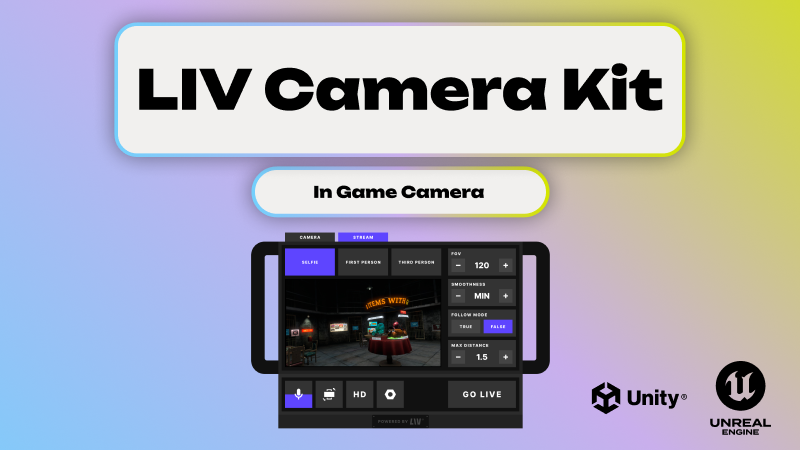
If you're building a game in Unity or Unreal and want players to capture content from inside the experience, you've probably already discovered the hard way that there's no built-in solution for this.
No native camera system. No recording pipeline. No screenshot button that just works.
You're left to figure it out yourself — or find something that already has.
LIV is an in-game camera SDK that lets developers add one thing: the ability to Spawn in-game cameras, record video, take screenshots, and live stream directly inside Unity and Unreal Engine applications.
This post breaks down what that actually means, what the alternatives look like, and when each approach makes sense.
What is an in-game camera SDK?
An in-game camera SDK gives your users cameras inside the game world. Not screen capture. Not OBS. Actual in-world cameras that can record video, snap screenshots, and live stream — all from within the application itself.
This matters because the way players discover games has changed. It's not storefront banners anymore. It's short-form video. It's clips shared between friends. It's TikTok and YouTube Shorts driving installs.
If your players can't easily create that content from inside your game, you're leaving growth on the table.
How do you actually add in-game recording to a Unity or Unreal app?
There are three paths. They are not equivalent.
Path 1: Build it yourself
This means you're implementing everything at the engine level — camera spawning, render texture capture, video encoding per platform, audio sync, streaming transport, and all the UX around it.
If capture is your core product and you have a dedicated rendering team, this can make sense. For everyone else, this is months of non-differentiating engineering work that you'll maintain forever.
The edge cases alone — especially in VR — are brutal.
Path 2: Assemble low-level libraries
FFmpeg for encoding. WebRTC or RTMP for transport. Native platform APIs for the rest.
These are powerful primitives, but they're exactly that — primitives. You still need to build the camera system, integrate with the engine's rendering pipeline, design the UX, and debug the whole stack.
This path works if you already have engine-level capture and just need encoding or transport. Otherwise, you're building the same thing as Path 1 with extra dependencies.
Path 3: Use an in-game camera SDK
This is what LIV provides. A production-ready SDK that drops into your Unity or Unreal project and gives users spawnable cameras, video recording, screenshots, and live streaming — without you building capture infrastructure.
What you get with LIV
- ✅User-spawnable in-game cameras
- ✅In-game video recording
- ✅Screenshot capture
- ✅Live streaming from inside the app
- ✅Unity support
- ✅Unreal Engine support
- ✅VR-native camera workflows
- ✅No external capture software required
- ✅Meta Quest and PCVR support
- ✅Unity Prefab and Unreal Engine Blueprint for quick and easy integration
LIV is designed for games where players or creators generate content — social experiences, competitive titles, UGC-driven games, VR applications, and anything where video on social media drives growth.
More broadly, you can think of LIV as an in-app camera SDK for real-time 3D applications. But it's optimized first and foremost for in-game use cases.
When should you use LIV?
Use LIV if:
You want plug-and-play in-game capture. Your users need to control cameras from inside the game. You want recording and live streaming without building or maintaining infrastructure. You're shipping on VR or performance-sensitive platforms.
Don't use LIV if:
You only need developer-side debugging capture. You're building a throwaway internal prototype. Desktop-only OBS-style recording is genuinely sufficient for your use case.
When should you build it yourself?
Only when capture and streaming are core to your product, and you have a dedicated team to maintain rendering, encoding, audio sync, and platform-specific edge cases for the long haul.
If that's not you, an in-game camera SDK exists specifically so you don't have to.
Engine support
Unity — LIV integrates directly into Unity projects. Get started with the Unity Quickstart →
Unreal Engine — LIV provides Unreal-native integration for in-game capture and live streaming. Get started with the Unreal Quickstart →
The bottom line
If you want users to spawn cameras, record video, take screenshots, or live stream gameplay from inside a Unity or Unreal application, the fastest path to production is an in-game camera SDK.
LIV provides this out of the box — no custom capture pipelines, no encoding headaches, no streaming infrastructure to maintain.
Helpful links
- LIV Developer Portal
- LIV Documentation
- Unity In-Game Recording
- Unreal In-Game Recording
- In-Game Recording Comparison: Build vs OBS vs FFmpeg vs LIV

.jpeg)
