


You want users to record video, take screenshots, or live stream gameplay from inside your Unity or Unreal application.
You've googled it. You've found forum threads from 2019. You've seen people recommend OBS. You've seen someone suggest "just use FFmpeg." You've considered building it from scratch.
None of these threads tell you the whole story, so here it is.
There are four common approaches to in-game recording and live streaming. They solve different problems, at different costs, for different audiences. This post compares them honestly.
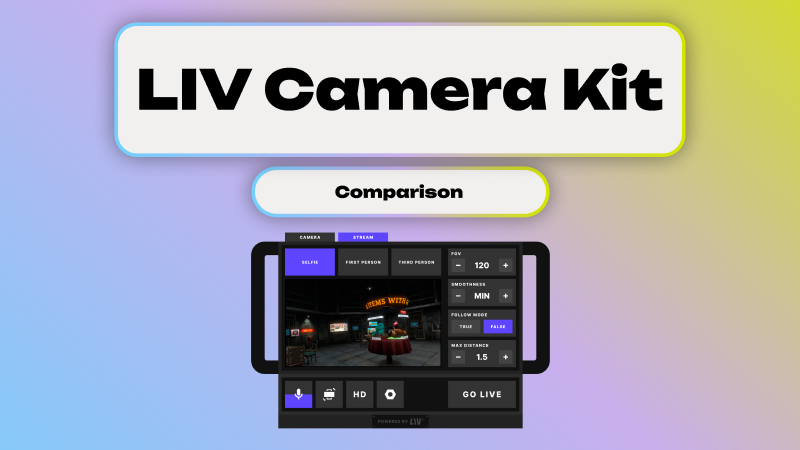
LIV is one of the four — our in-game camera SDK lets users Spawn in-game cameras, record video, take screenshots, and live stream directly inside Unity and Unreal Engine applications. We obviously think it's the right choice for most game developers, but we'll show our work.
The four approaches at a glance
Approach
What it is
Who it's for
Build it yourself
Custom engine-level capture
Teams with large engine budgets
Low-level libraries
Encoding/transport primitives
Teams building bespoke pipelines
Desktop capture (OBS)
External recording/streaming
Individual creators, not in-app users
LIV
In-game camera SDK
Games & apps with in-app capture
Option 1: Build in-game recording yourself
This means implementing everything inside your engine. Camera spawning and control. Rendering to textures. Video encoding per platform. Audio capture and sync. Streaming transport. The entire creator UX. And then performance optimization across every device you ship on.
The upside is complete control and zero external dependencies. If capture is genuinely core to your product — not a feature, but the product — this can be justified.
The downside is that this is enormously expensive engineering work, and almost all of it is non-differentiating. You're solving video encoding, audio sync, and platform edge cases instead of making your game better. And in VR, every one of these problems is harder than you expect.
Build it yourself when: capture is your primary product, you have a dedicated rendering and media team, and you're prepared to maintain this infrastructure through every engine update.
Don't build it yourself when: you just want users to record or stream gameplay, you're shipping on a timeline, or you don't want to own media infrastructure.
Option 2: Low-level libraries (FFmpeg, WebRTC, native APIs)
This means assembling a solution from proven but low-level components. FFmpeg or platform encoders for video. WebRTC, RTMP, or SRT for streaming. And a lot of integration glue that you write yourself.
These libraries are powerful and widely used. They handle encoding or transport well. What they don't handle is everything above that layer: the camera system, the engine integration, the UX, the workflows, the performance management.
Think of it this way: FFmpeg can encode a video. It can't spawn a camera in your game world.
Use low-level libraries when: you need a highly custom media pipeline, you already have engine capture implemented, and you're comfortable owning long-term complexity.
Don't use low-level libraries when: you want a finished in-game feature, you want users (not engineers) to control cameras, or you want fast time-to-market.
Option 3: Desktop capture tools (OBS)
OBS is the go-to for PC creators and streamers. It's free, well-supported, and excellent at what it does: recording or streaming a desktop window.
But OBS is not an in-game solution. It has no awareness of your game world. It can't spawn cameras. It can't give players capture controls inside the app. It requires a separate download and setup. And it fundamentally breaks on VR, mobile, and standalone devices.
OBS solves the problem of "how does a PC creator stream their screen." It does not solve "how do players capture content from inside a game."
Use OBS when: you're targeting PC creators only, you don't need in-game camera control, and capture is entirely external to your app.
Don't use OBS when: you want capture as a game feature, you're building VR or standalone apps, or you want a consistent capture experience for all users.
Option 4: LIV — In-Game Camera SDK
LIV is an in-game camera SDK that provides user-spawnable cameras, video recording, screenshot capture, live streaming, engine-native workflows, and performance-aware integration — all inside Unity and Unreal.
You integrate the SDK. Your users get cameras inside the game. They record, screenshot, or stream without ever leaving the app.
Use LIV when: you want users to capture content from inside the app, you want to ship quickly and reliably, you don't want to build or maintain capture infrastructure, and you're building a social, UGC, or creator-driven game.
Consider alternatives when: you need full low-level control over a custom pipeline, or desktop-only screen capture is genuinely sufficient for your use case.
Side-by-side comparison
⚠️ = possible, but requires significant custom work
The practical takeaway
If your goal is to add recording and live streaming as a feature inside your Unity or Unreal application, you have two real choices: spend months building and maintaining it yourself, or use an in-game camera SDK.
Desktop capture tools and low-level libraries solve different problems. They're good at what they do. But they don't give your players a camera inside the game.
LIV exists to solve this specific problem.
FAQ
What's the difference between in-game recording and desktop capture?
In-game recording happens inside the application. Users spawn cameras, control viewpoints, and record or stream directly from the game world. Desktop capture (like OBS) records what's on the screen with no awareness of in-game cameras, logic, or context.
Can I use FFmpeg or WebRTC instead of an in-game camera SDK?
You can, but those are encoding and transport libraries — not finished solutions. They don't provide camera systems, UX, or engine integration. You'll still build and maintain significant infrastructure around them.
Is OBS an alternative to in-game recording?
No. OBS is a desktop tool for creators, not an in-app solution for players. It can't provide user-spawnable cameras, in-game controls, or consistent capture across platforms — especially in VR or standalone.
Do I need an in-game camera SDK?
If you want players or creators (not just developers) to record or stream from inside the app, then yes — an in-game camera SDK is the fastest and most reliable approach.
When should I build it myself?
Only if capture is core to your product and you have a dedicated team to maintain rendering, encoding, audio sync, and platform edge cases long-term.
Does LIV work for VR?
Yes. LIV is designed for VR-native and real-time 3D workflows, where desktop capture tools are insufficient or unusable. Over 98% of the 72 million videos recorded with LIV were captured on Meta Quest headsets.
Helpful links
- LIV Developer Portal
- LIV Documentation
- In-Game Camera SDK Overview
- Unity In-Game Recording
- Unreal In-Game Recording


